


Bulk Blog Uploader Plugin for Squarespace
Squarespace Doesn't Have a Bulk Blog Import.
Well it does with an XML import, but it’s quite slow and hard to use.
Import hundreds of blog posts to Squarespace 7.0 or 7.1 from a spreadsheet, Notion, or JSON. Review, edit, and push them live from inside your admin panel.
No external tools. Just upload and go.
The Blog Bulk Import Uploader lets you import up to 1,000 blog posts to Squarespace 7.0 or 7.1 from XLSX, CSV, JSON, Notion exports, or Google Sheets.
Upload your content, review and edit posts in a built-in editor, then push them live directly from your Squarespace admin. Import and edit titles, content, slugs, categories, tags, authors, featured images, publish dates, and statuses before pushing posts live. Built-in validation checks and bulk actions help you review and manage content before publishing.
One-time payment · No subscription · Unlimited Squarespace sites
Why Squarespace Blog Migration Is Still Painful
You already know this. A client has 300 blog posts on WordPress, or a content team hands you a spreadsheet of 80 articles, and Squarespace expects you to create each one individually. Title, content, slug, categories, tags, featured image, status. Save. Next.
The built-in WordPress importer is fragile and only handles one format. Third-party tools want you to set up API credentials, install browser extensions, or pay monthly for something you'll use twice a year.
This tool exists because there should be a simple way to bulk import blog posts to Squarespace. So we built one that runs right where you already work: inside the admin panel.
Meet the Bulk Blog Uploader Plugin
The Blog Bulk Import Uploader lets you import up to 5,000 blog posts to Squarespace 7.0 or 7.1 from XLSX, CSV, JSON, Notion exports, or Google Sheets.
Upload your content, review and edit posts in a built-in editor, then push them live directly from your Squarespace admin. Import and edit titles, content, slugs, categories, tags, authors, featured images, publish dates, and statuses before pushing posts live. Built-in validation checks and bulk actions help you review and manage content before publishing.
The Blog Bulk Import Uploader lets you import up to 1,000 blog posts to Squarespace 7.0 or 7.1 from XLSX, CSV, JSON, Notion exports, or Google Sheets.
Upload your content, review and edit posts in a built-in editor, then push them live directly from your Squarespace admin. Import and edit titles, content, slugs, categories, tags, authors, featured images, publish dates, and statuses before pushing posts live. Built-in validation checks and bulk actions help you review and manage content before publishing.
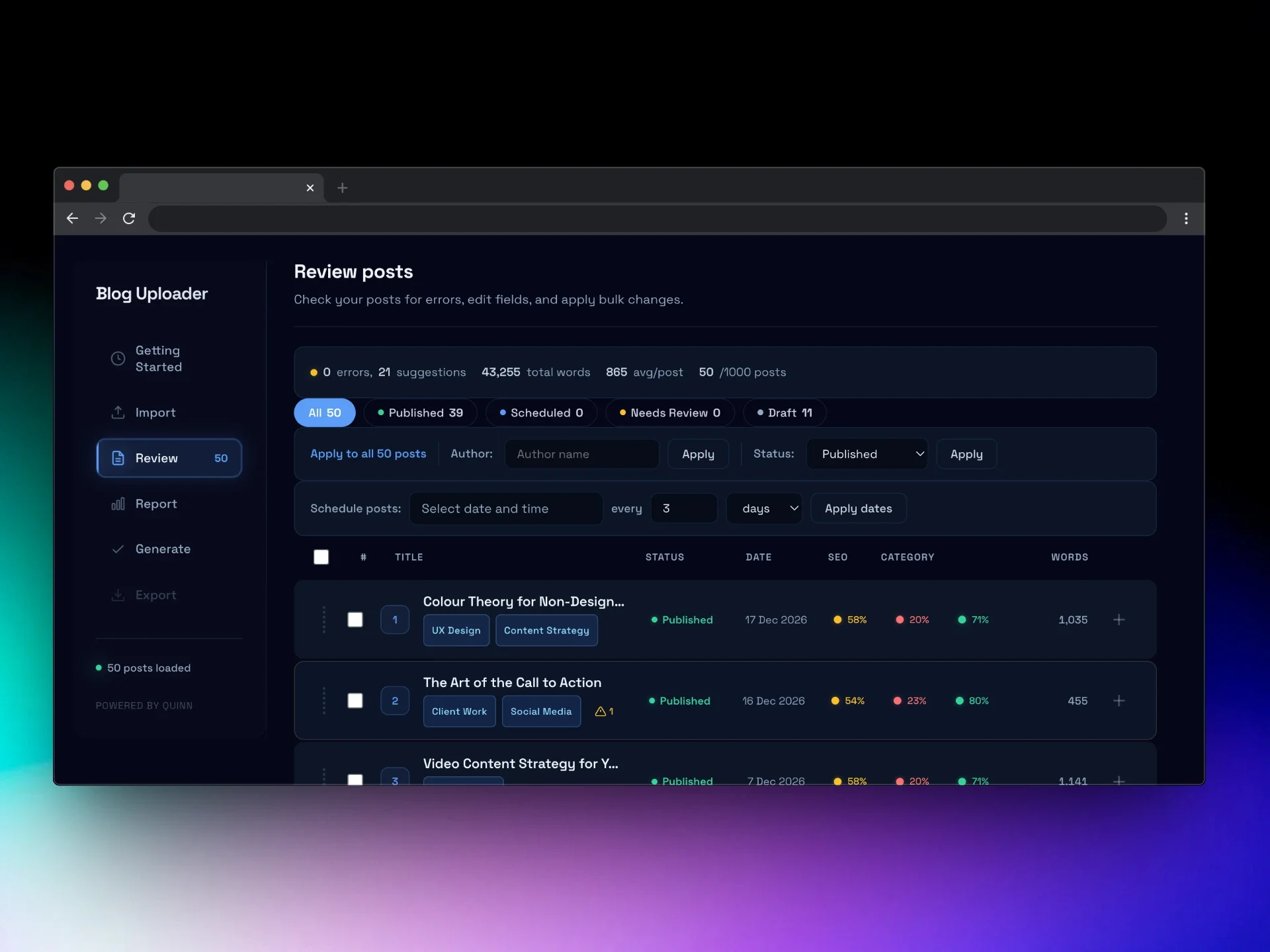
Import from Any Source
✓ XLSX, CSV, and JSON file uploads
✓ Notion database exports
✓ Google Sheets (download as XLSX or CSV)
✓ Ready-made templates for XLSX, Notion, and Google Sheets
Supported Blog Post Fields
Every field Squarespace supports for blog posts is covered: Title, Content (full HTML), URL Slug, Excerpt, Status (Published, Draft, Scheduled, Needs Review), Categories, Tags, Author, Featured Image (via URL), Publish Date, and Featured Post toggle. Slugs are auto-generated from titles if you leave them blank. Categories and tags are semicolon-separated in spreadsheets, or multi-select in Notion.
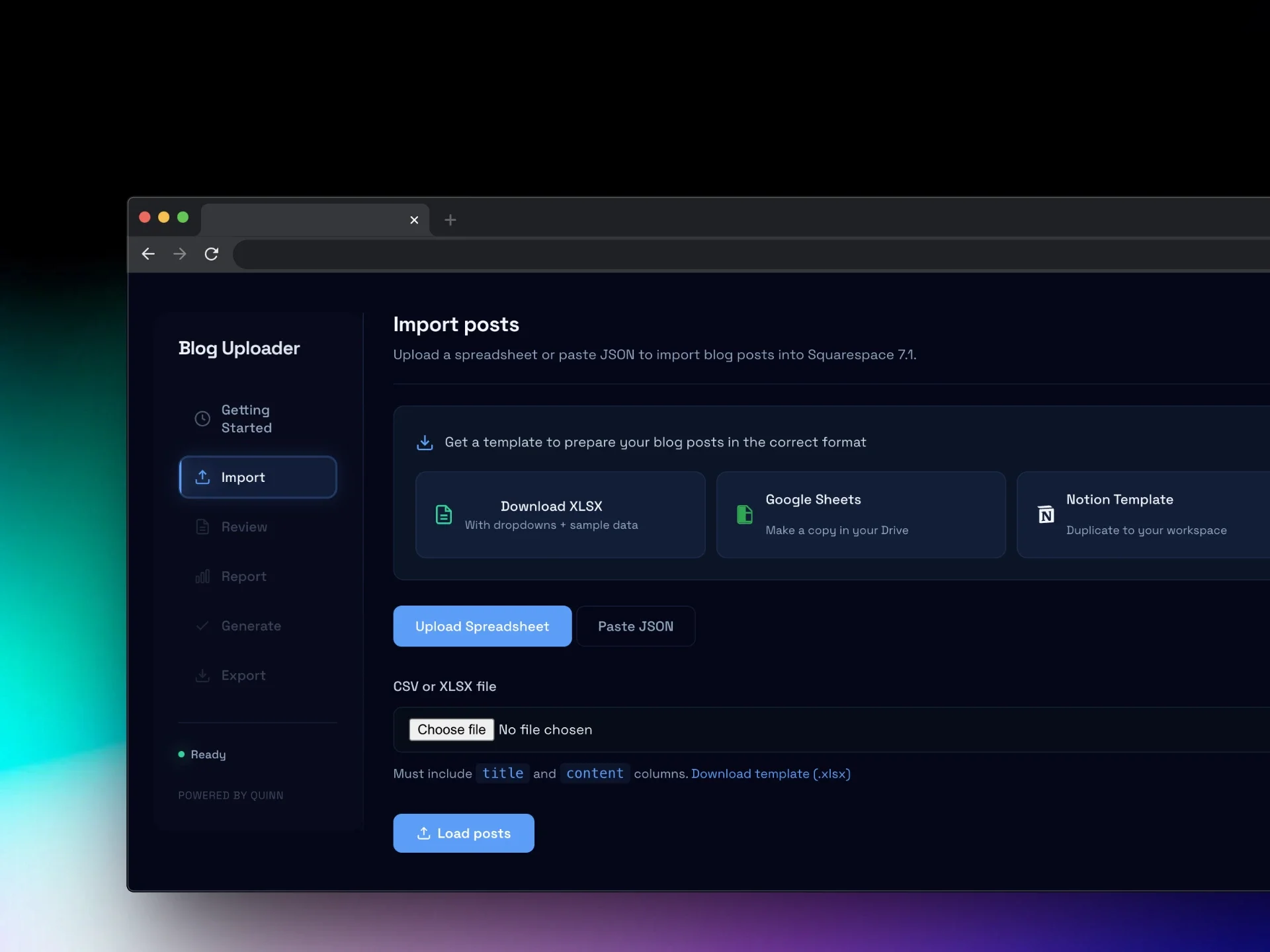
Edit Before You Push
✓ Rich text editor for each post (titles, slugs, excerpts, content)
✓ Bulk actions for status, categories, tags, and featured state
✓ Validation with expandable warnings before every push
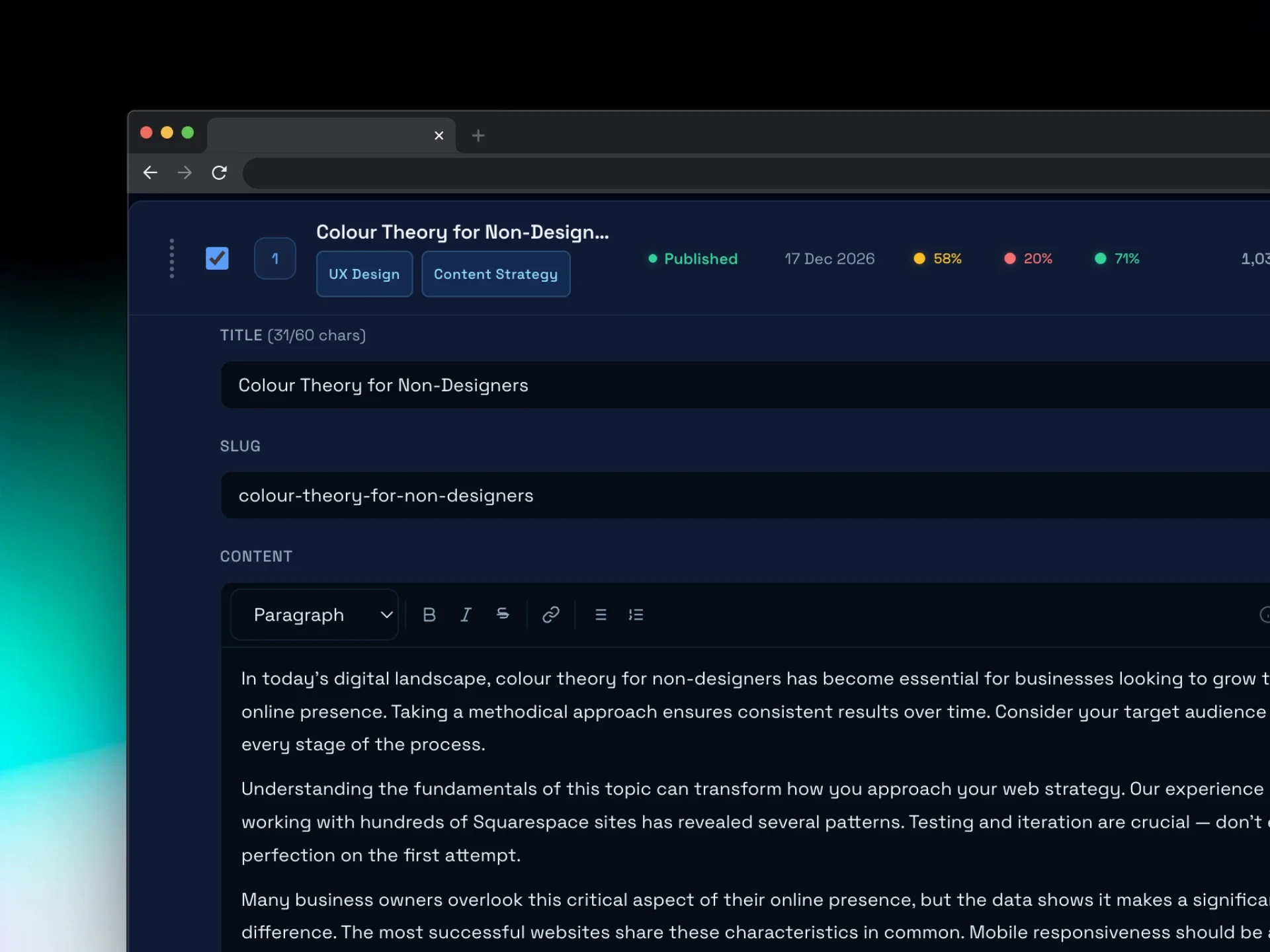
Check content quality with a health report
✓ Built-in Content Naturalness Scorer grades posts A through F
✓ Flags AI-generated content so you can review it before publishing
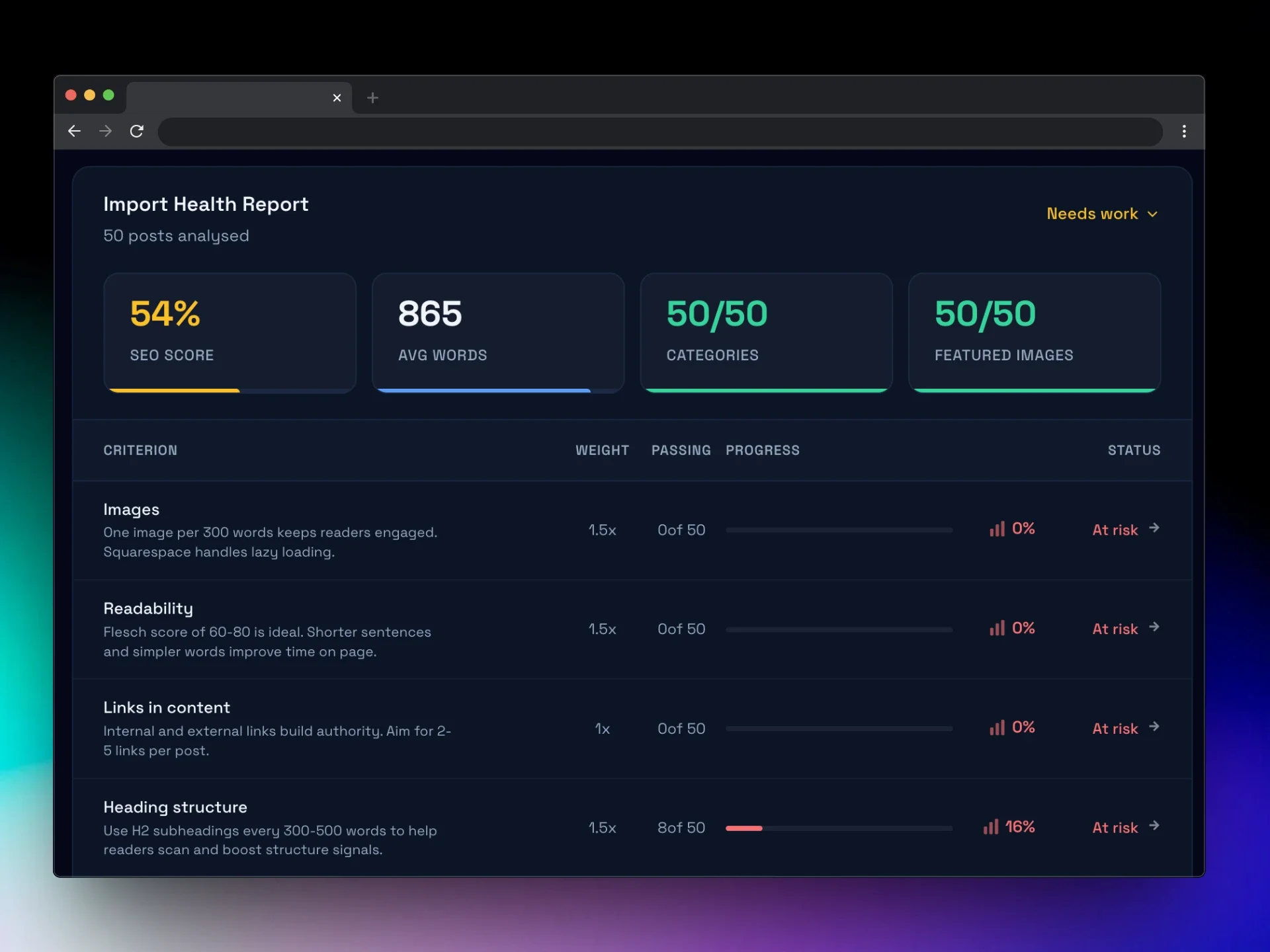
Publish and Manage
✓ Push directly via the Squarespace admin API (up to 1,000 posts)
✓ WordPress-compatible XML export as a backup option (up to 400 posts)
✓ Session persistence picks up where you left off
✓ Blog management panel to view and clear existing posts
✓ Runs entirely inside Squarespace. Nothing to install.
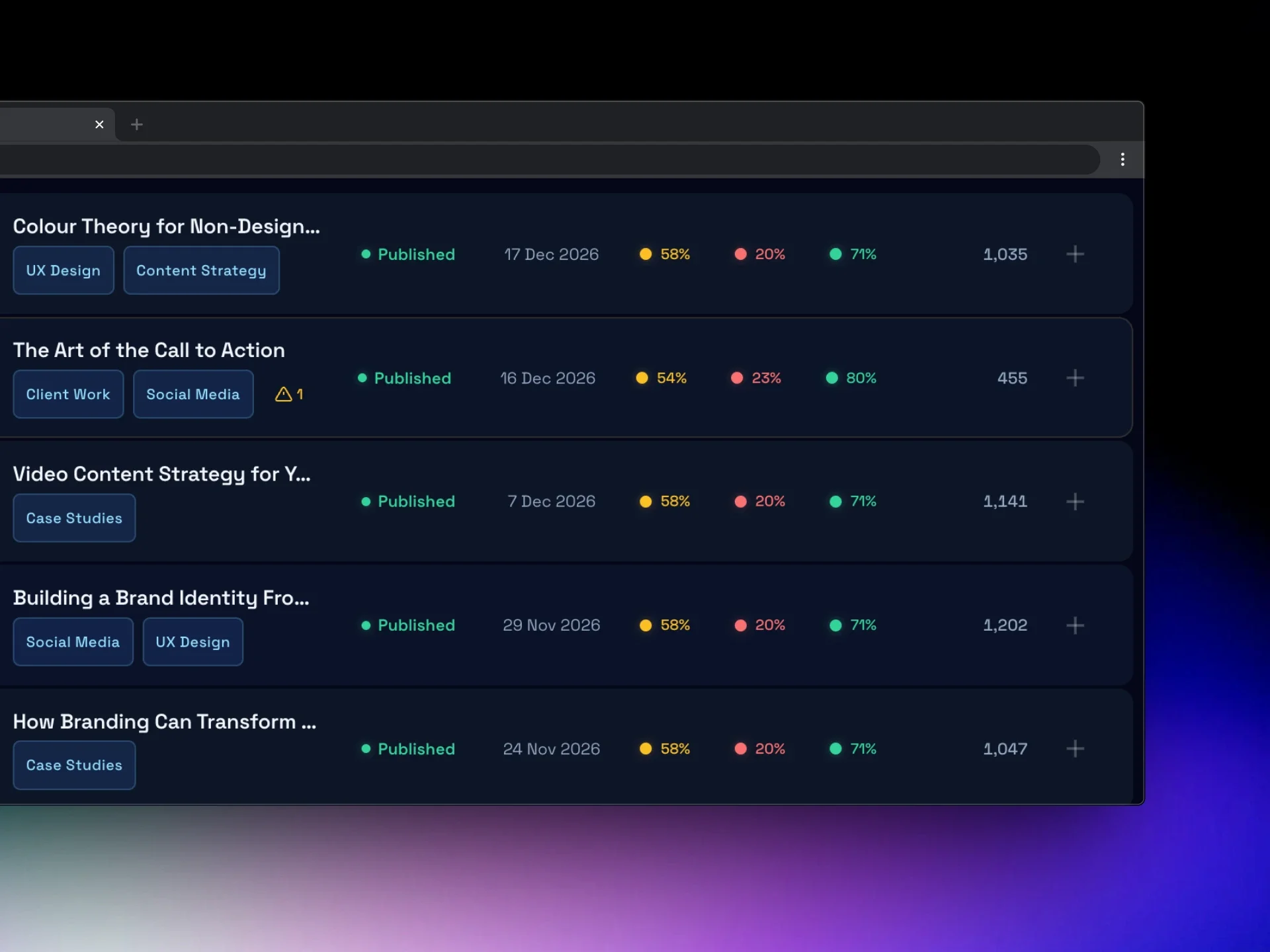
Without Blog Bulk Editor Plugin
Manually create every blog post in Squarespace
Copy and paste titles, content, and excerpts one by one
Manually add categories, tags, authors, and publish dates
Fix formatting issues after publishing
No easy way to review dozens of posts before they go live
Limited migration options from WordPress, Notion, or spreadsheets
Hours of repetitive admin work
With Blog Bulk Editor Plugin
Upload hundreds of blog posts from a spreadsheet, Notion export, or JSON
Review and edit posts in a built-in editor before publishing
Bulk manage categories, tags, authors, and post status
Automatically generate slugs and validate content before pushing live
Import titles, content, excerpts, images, and publish dates in one go
Push up to 1,000 posts directly from your Squarespace admin
Get your entire blog live in minutes instead of hours
How it works

Step 1
Install in seconds
Create a blank page in Squarespace, add a Code Block, and paste in the provided snippet. The uploader loads instantly inside your Squarespace admin.

Step 2
Upload your content
Upload your blog posts from XLSX, CSV, JSON, or a Notion export. Each row becomes a post, and ready-made templates make formatting your data quick and simple.

Step 3
Review and edit
Preview every post before publishing. Edit titles, slugs, excerpts, and content, and manage categories, tags, and status with simple bulk actions.

Step 4
Push and publish
When everything looks right, push your posts directly to Squarespace. Publish immediately, save drafts, or schedule posts - all in one go.

Download and install the plugin to stop uploading posts one by one
The Blog Bulk Import Uploader lets you import up to 1,000 blog posts to Squarespace 7.0 or 7.1 from XLSX, CSV, JSON, Notion exports, or Google Sheets.
Upload your content, review and edit posts in a built-in editor, then push them live directly from your Squarespace admin. Import and edit titles, content, slugs, categories, tags, authors, featured images, publish dates, and statuses before pushing posts live. Built-in validation checks and bulk actions help you review and manage content before publishing.
Buy the bundle - 3 tools for less!
Get all 3 Squarehead tools for a discount! Includes the Blog Bulk Editor, Bulk Portfolio Uploader, and Bulk Blog Uploader. Worth £90 if bought separately.
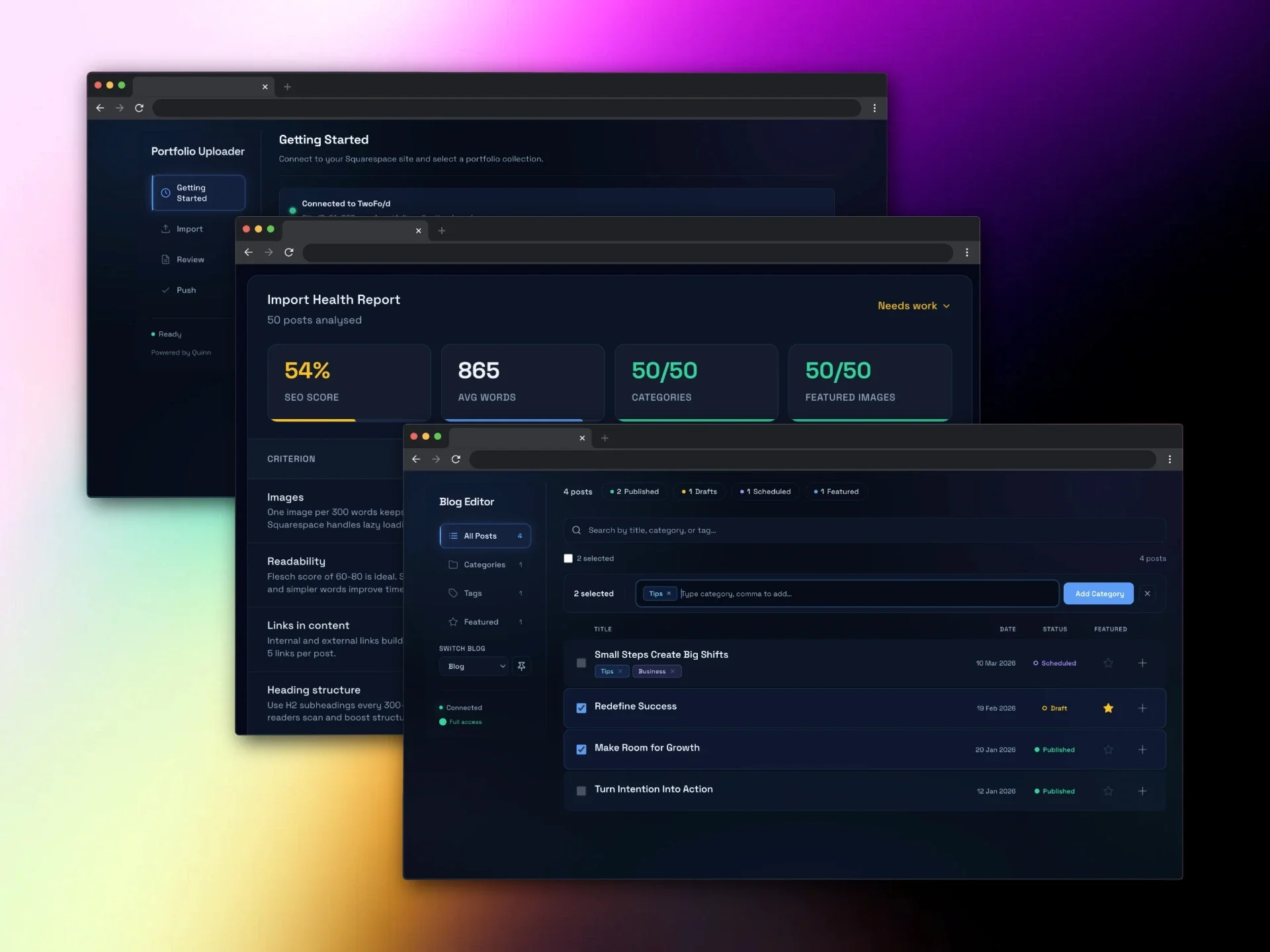
Save £20 with this bundle. A bundle of 3 of the Squarehead collection plugin tools:
Portfolio Bulk Uploader Plugin
Blog Bulk Editor Plugin
Blog Bulk Importer/Uploader Plugin
Worth £90 if purchased separately.
Frequently Asked Questions
-
Squarespace doesn't offer a native bulk blog import. This tool adds that functionality. It runs inside the Squarespace 7.1 admin panel and lets you upload blog posts from XLSX, CSV, JSON, Notion, or Google Sheets, then push them directly to your blog.
-
Up to 1,000 posts per push via the admin API. The WordPress XML export option supports up to 400 posts per file.
-
No. It's built for Squarespace 7.1 only, using the 7.1 admin API. It won't work on 7.0 sites.
-
Yes. Export your WordPress posts to CSV, drop them into the template, and push them to Squarespace. You get full control over every field and can edit content before it goes live, which Squarespace's own importer doesn't offer.
-
No. The tool uses the same admin API session you're already logged into. There's nothing to configure, no credentials to set up, and no external software to install.
-
XLSX, CSV, JSON, Notion database exports, and Google Sheets (via download). Templates are provided for XLSX, Notion, and Google Sheets.
-
An AI detection scorer that grades each post from A (reads naturally) to F (likely AI-generated). Useful for checking content quality before publishing, particularly if posts were drafted with AI writing tools.
-
No. £25, one time. Use it on as many Squarespace 7.1 sites as you manage.
-
Session persistence is built in. Your imported data, edits, and settings are saved locally. When you come back, it picks up where you left off.