


Blog Bulk Editor Plugin for Squarespace
Bulk edit your entire Squarespace 7.0 and 7.1 blog from one screen
Categories, tags, status, featured posts. Select the posts you want, make your changes, push them live. What used to take hours now takes seconds.
Your Squarespace blog has 50, 100, maybe 200 or even 10,000 posts. And right now, the only way to update categories, tags, or status is to open each post, make the change, save it, go back, and do it all over again. Blog Bulk Editor puts your entire blog in one dashboard, so you can make changes across every post in seconds.
See everything in one place. Four views let you browse your posts by title, category, tag, or featured status. Search, filter by published/draft/scheduled, and find exactly what you're looking for.
Edit across posts, not inside them. Select multiple posts and add or remove categories and tags in bulk. Rename or merge duplicates. Toggle featured posts on or off. Change post status. All without leaving the dashboard.
Review before you push. Every change is tracked and highlighted so you can see exactly what's been modified. Revert a single post or undo everything. Nothing goes live until you hit save.
Works with multiple blogs. If your site has more than one blog collection, switch between them and manage everything from the same place.
Quick setup, no technical skills needed. Paste a single code snippet into your Squarespace site and you're connected. Works with any Squarespace 7.0 or 7.1 site, no apps to install or CSV files to mess around with.
Built by a Squarespace expert for people who actually use the platform every day.
One-time payment · No subscription · Unlimited Squarespace sites
Squarespace wasn’t built for managing blog content at scale
Your blog has 50, 100, maybe 200 posts. And right now, the only way to update categories, tags, or status is to open each post individually, make the change, save it, go back to the list, and do it all over again.
Need to add a new category across 30 posts?
That’s 30 clicks to open, 30 edits, 30 saves.
Want to rename a tag that’s been misspelled for months?
Same thing.
Want to set a batch of drafts to published before a launch?
You’re doing them one at a time.
It’s slow, it’s tedious, and if you manage blogs for clients, it’s eating into time you could be spending on actual design work.
Meet Blog Bulk Editor Plugin
Blog Bulk Editor Plugin puts your entire Squarespace blog in a single dashboard. See every post, every category, every tag. Make changes across as many posts as you want, review exactly what you’ve changed, and push it all live in seconds.
No imports, no exports, no CSV files. It connects directly to your Squarespace site and works with the data that’s already there.
Your Squarespace blog has 50, 100, maybe 200 or even 10,000 posts. And right now, the only way to update categories, tags, or status is to open each post, make the change, save it, go back, and do it all over again. Blog Bulk Editor puts your entire blog in one dashboard, so you can make changes across every post in seconds.
See everything in one place. Four views let you browse your posts by title, category, tag, or featured status. Search, filter by published/draft/scheduled, and find exactly what you're looking for.
Edit across posts, not inside them. Select multiple posts and add or remove categories and tags in bulk. Rename or merge duplicates. Toggle featured posts on or off. Change post status. All without leaving the dashboard.
Review before you push. Every change is tracked and highlighted so you can see exactly what's been modified. Revert a single post or undo everything. Nothing goes live until you hit save.
Works with multiple blogs. If your site has more than one blog collection, switch between them and manage everything from the same place.
Quick setup, no technical skills needed. Paste a single code snippet into your Squarespace site and you're connected. Works with any Squarespace 7.0 or 7.1 site, no apps to install or CSV files to mess around with.
Built by a Squarespace expert for people who actually use the platform every day.
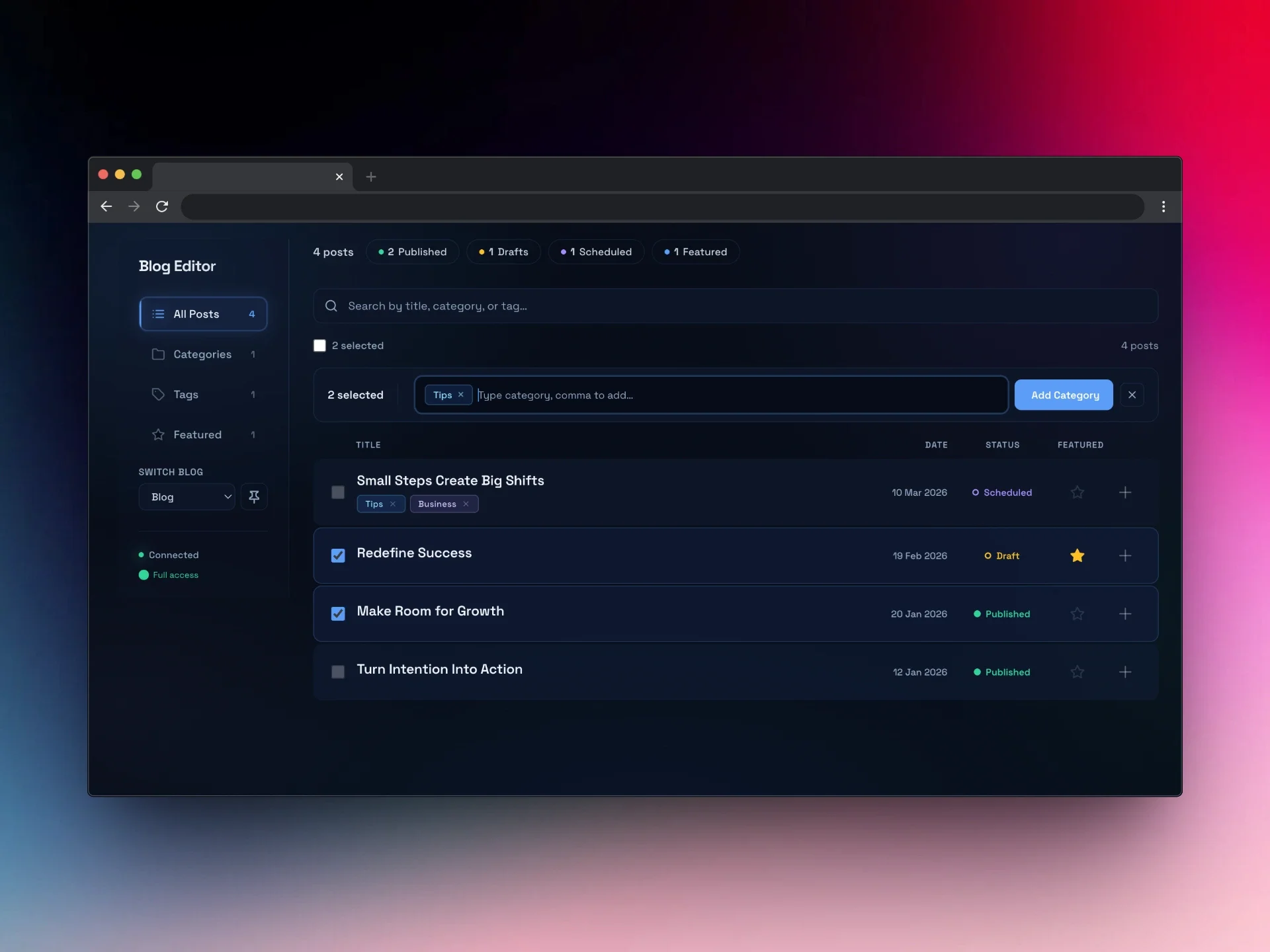
Add categories & tags to multiple blog posts all at once
Select all or choose specific blog posts you want to add, delete or edit categories or tags.
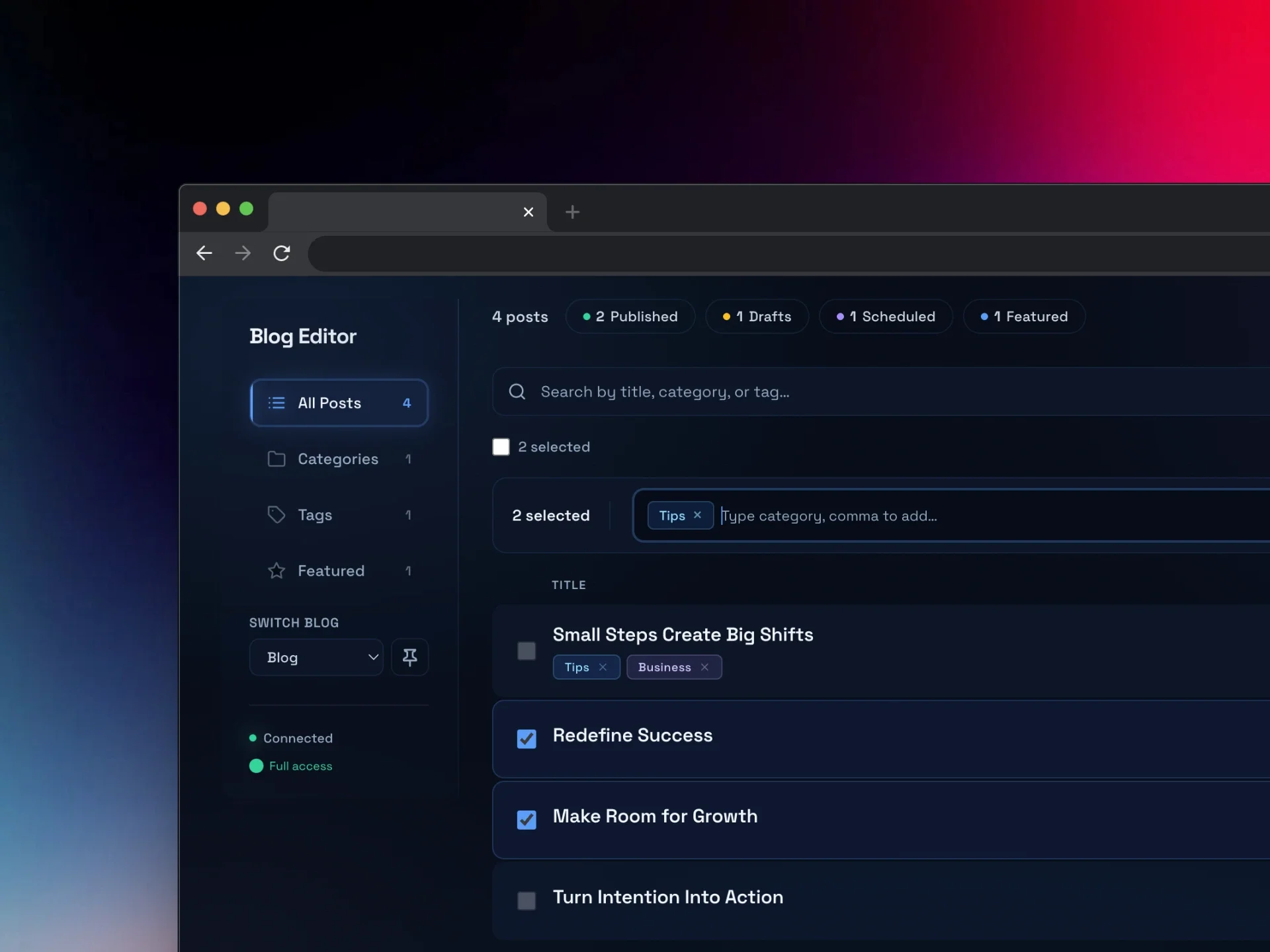
Search and filter
Nothing slips through the net when you can easily search by keyword, filter by status (published, draft, or scheduled), and browse by category, tag, or featured status. Four different views let you see your blog content from whichever angle is most useful. Spot which posts are missing or have been mislabelled.
Switch between different blogs with one click!
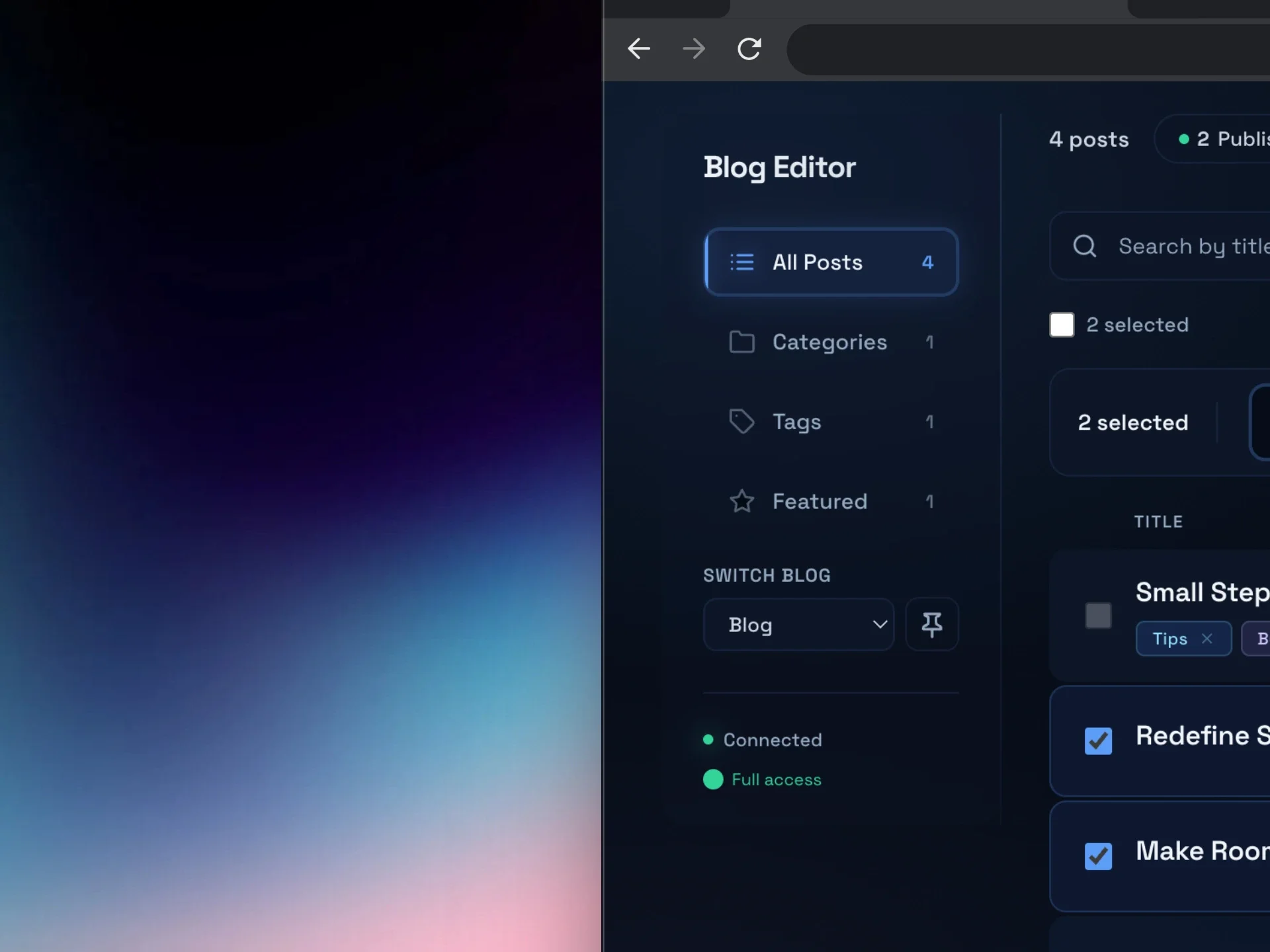
Draft, schedule, publish or feature multiple posts in one tap
Change the status of multiple blog posts all at once!
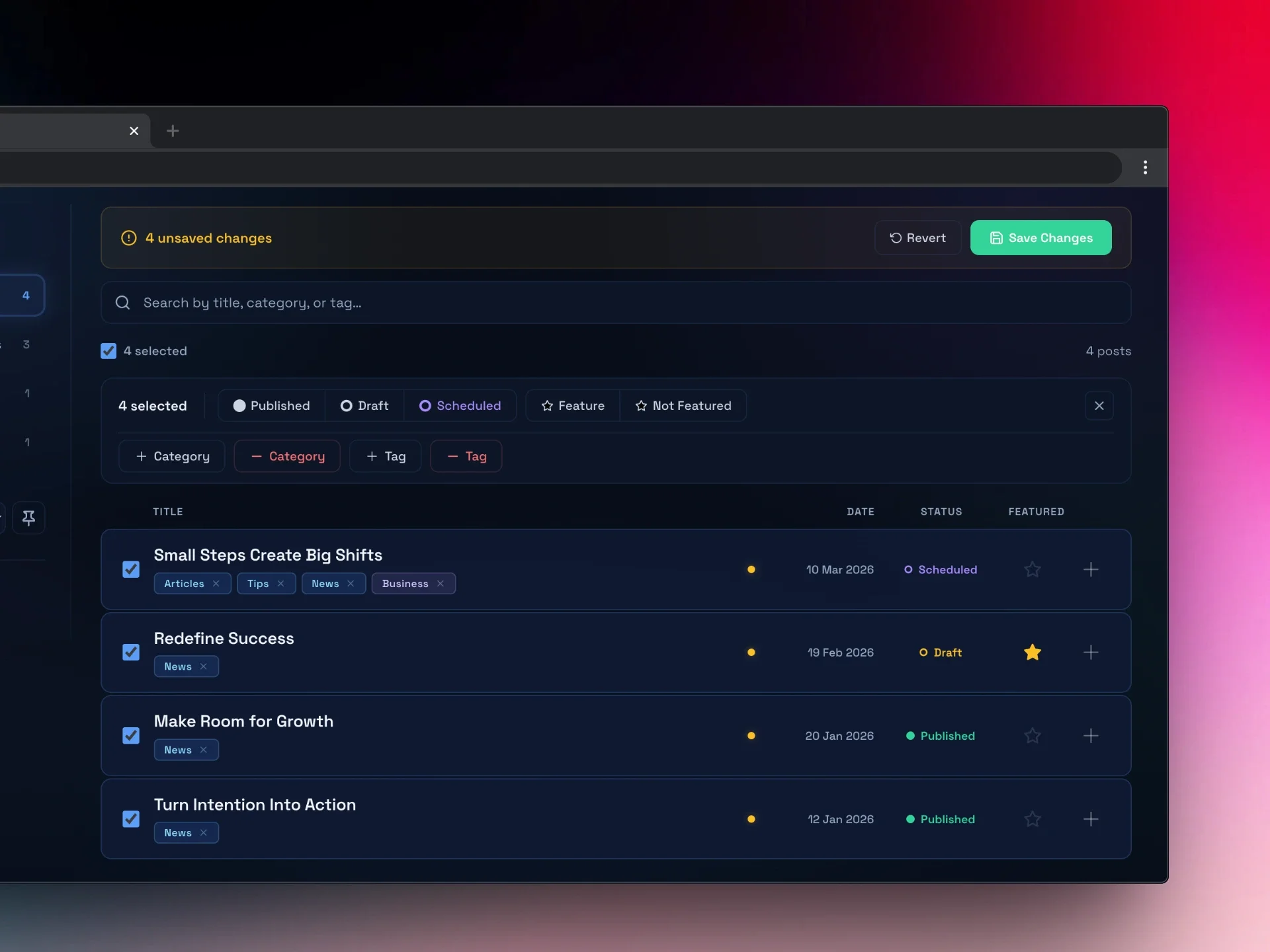
Without Blog Bulk Editor Plugin
Opening every post individually to change a category or tag
No way to see all your categories and tags in one place
Renaming a tag means editing every post that uses it
No bulk status changes for drafts, published, or scheduled posts
Managing featured posts one at a time
No undo if you make a mistake partway through
With Blog Bulk Editor Plugin
Select multiple posts and edit categories, tags, or status in one go
Browse all categories and tags from dedicated views
Rename or merge duplicate categories and tags across every post at once
Flip posts between published, draft, and scheduled in a click
Toggle featured posts on or off from one screen
Every change is tracked. Revert a single post or everything before saving.
Built for anyone who manages a Squarespace blog
Freelance Web Designers You manage blogs across multiple client sites. Every time a client asks you to reorganise their categories or clean up their tags, you’re looking at an afternoon of repetitive clicking. The Blog Bulk Editor Plugin turns that into a five-minute job.
Content Managers and Marketers You’re responsible for keeping the blog organised and on-brand. When the content strategy shifts and categories need restructuring, you need a tool that lets you make those changes across the board without disrupting what’s already published.
Squarespace Developers You build and maintain Squarespace sites professionally. Blog Bulk Editor Plugin gives you the kind of content management tool that Squarespace should have built in. Efficient, keyboard-friendly, and designed for people who know their way around the platform.
Business Owners with Growing Blogs Your blog started small but now it’s got 80 posts and the categories are a mess. Some posts have tags, some don’t, and you’ve been meaning to clean it all up for months. Blog Bulk Editor Plugin makes it painless enough to actually do it.
How it works
Up and running in under a minute

Step 1
Paste the code snippet
Copy a single code snippet and paste it into a Code Block on your Squarespace site. That’s the only setup required.

Step 2
Open the editor
Visit the page where you added the code block. The Blog Bulk Editor Plugin loads automatically and connects to your site’s blog data.

Step 3
Start editing
Select posts, make your changes, review, and push everything live. Your blog updates instantly.

Download and install the plugin to stop editing posts one by one
Blog Bulk Editor gives you the tools Squarespace left out. Manage your entire blog from a single dashboard, make changes in bulk, and push them live in seconds.
Your Squarespace blog has 50, 100, maybe 200 or even 10,000 posts. And right now, the only way to update categories, tags, or status is to open each post, make the change, save it, go back, and do it all over again. Blog Bulk Editor puts your entire blog in one dashboard, so you can make changes across every post in seconds.
See everything in one place. Four views let you browse your posts by title, category, tag, or featured status. Search, filter by published/draft/scheduled, and find exactly what you're looking for.
Edit across posts, not inside them. Select multiple posts and add or remove categories and tags in bulk. Rename or merge duplicates. Toggle featured posts on or off. Change post status. All without leaving the dashboard.
Review before you push. Every change is tracked and highlighted so you can see exactly what's been modified. Revert a single post or undo everything. Nothing goes live until you hit save.
Works with multiple blogs. If your site has more than one blog collection, switch between them and manage everything from the same place.
Quick setup, no technical skills needed. Paste a single code snippet into your Squarespace site and you're connected. Works with any Squarespace 7.0 or 7.1 site, no apps to install or CSV files to mess around with.
Built by a Squarespace expert for people who actually use the platform every day.
Buy the bundle - 3 tools for less!
Get both Squarehead tools for a discount! Includes the Blog Bulk Editor, Bulk Portfolio Uploader. Worth £90 if bought separately.
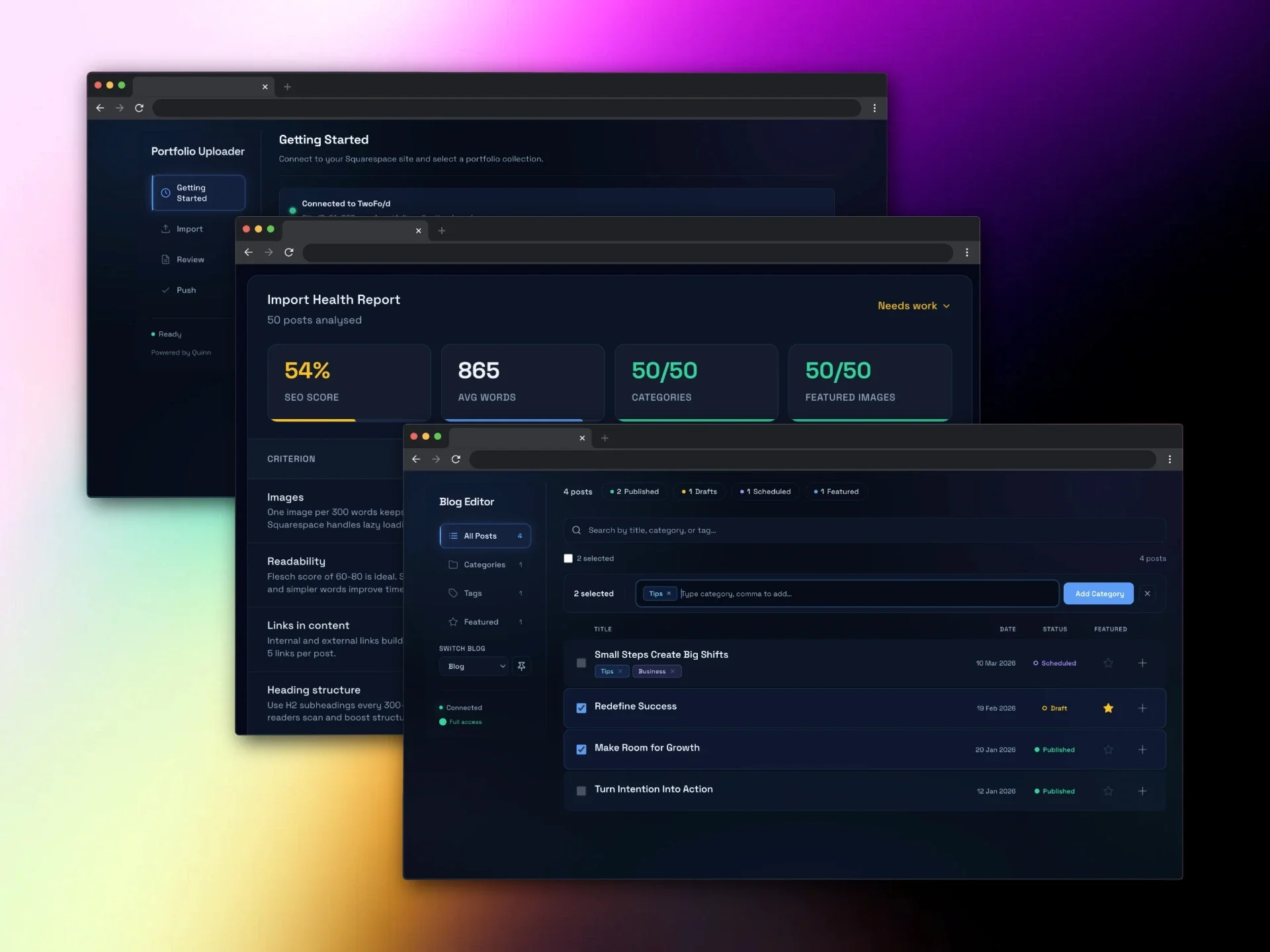
Save £20 with this bundle. A bundle of 3 of the Squarehead collection plugin tools:
Portfolio Bulk Uploader Plugin
Blog Bulk Editor Plugin
Blog Bulk Importer/Uploader Plugin
Worth £90 if purchased separately.
Frequently Asked Questions
Setup & Getting Started
-
Blog Bulk Editor is a tool for Squarespace 7.1 that lets you manage your entire blog from a single dashboard. You can bulk edit categories, tags, post status, and featured posts across multiple blog posts at the same time, instead of opening each post individually.
-
You paste a single code snippet into a Code Block on any page of your Squarespace site. There are no apps to install, no browser extensions, and no third-party accounts required. The whole setup takes less than a minute.
-
Yes! Blog Bulk Editor is built specifically for Squarespace 7.0 and 7.1.
-
No. The only technical step is pasting a code snippet into a Squarespace Code Block, which is a standard Squarespace feature. Once it is set up, the editor is a visual dashboard that works entirely with clicks and selections. No coding knowledge is needed.
-
Yes. Blog Bulk Editor works with every Squarespace 7.1 template and any custom designs built on the 7.1 platform. It connects to your blog data through the Squarespace interface, so the template you are using does not matter.
Features & Functionality
-
Yes. You can select multiple posts and add or remove categories across all of them at once. You can also rename a category and it will update across every post that uses it, or merge two categories into one.
-
Yes. Tags work the same way as categories in Blog Bulk Editor. Select posts, add or remove tags in bulk, rename them, or merge duplicates. The Tags view gives you a complete overview of every tag on your blog and how many posts use each one.
-
Yes. You can select any number of posts and switch them between Published, Draft, and Scheduled in a single action. This is useful when you are launching a series of posts, archiving old content, or doing a bulk review of drafts.
-
Yes. The Featured view shows you all your featured posts in one place. You can toggle featured status on or off for any post, and you can select multiple posts to feature or unfeature them at the same time.
-
Yes. If you have duplicate or inconsistently named categories or tags, you can rename them or merge multiple ones into a single category or tag. The change applies across every post that uses them.
-
Yes. If your Squarespace site has more than one blog collection, you can switch between them from the sidebar. You can also pin your most-used blog as the default so it loads first.
-
Yes. You can search posts by keyword, filter by status (published, draft, or scheduled), and browse by category, tag, or featured status. Four different views let you see your blog content from whichever angle is most useful.
-
Yes. Every change you make is tracked and highlighted in the dashboard. You can revert individual posts back to their original state, or revert all changes at once. Nothing is pushed to your live site until you explicitly hit save.
Data & Security
-
No. Blog Bulk Editor connects directly to your Squarespace site and reads your blog data in real time. It does not copy, store, or transmit your content to any external server. All changes are made directly through the Squarespace interface.
-
Yes. Blog Bulk Editor reads your existing blog data and only writes changes when you click save. Every modification is shown to you before it goes live, and you can revert anything you are not happy with. It uses the same interface that Squarespace itself uses to update posts.
-
Blog Bulk Editor edits categories, tags, status, and featured flags. It does not change your post content, URLs, or page structure. If you rename categories or tags, this may affect any URL-based filtering you have set up, so review those after making bulk changes.
Compatibility & Requirements
-
Blog Bulk Editor works in all modern browsers including Chrome, Firefox, Safari, and Edge. For the best experience, we recommend using the latest version of Chrome or Firefox.
-
Blog Bulk Editor is designed for desktop use. The dashboard requires a larger screen to display all the information and controls effectively. On mobile devices, the page will show a message suggesting you visit on a desktop or laptop.
-
Blog Bulk Editor is designed to handle blogs of any size. Whether you have 20 posts or 10,000, the editor loads your full blog and lets you search, filter, and edit across all of them.
Pricing & Support
-
Blog Bulk Editor is a one-time purchase of £25. There are no subscriptions, no monthly fees, and no hidden costs. You buy it once and it’s yours to use on as many sites as you need.
-
Try the interactive demo on this page to see exactly how Blog Bulk Editor works with realistic sample data. The demo includes all the same features as the full product.
-
Blog Bulk Editor was built by Squarehead, a Squarespace expert web design studio based in London. We work with Squarespace every day and built this tool to solve a problem we kept running into with our own client sites.
-
If you have questions or run into any issues, get in touch through squarehead.co.uk. We are a small team and we respond to every message personally.