
 Image 1 of 2
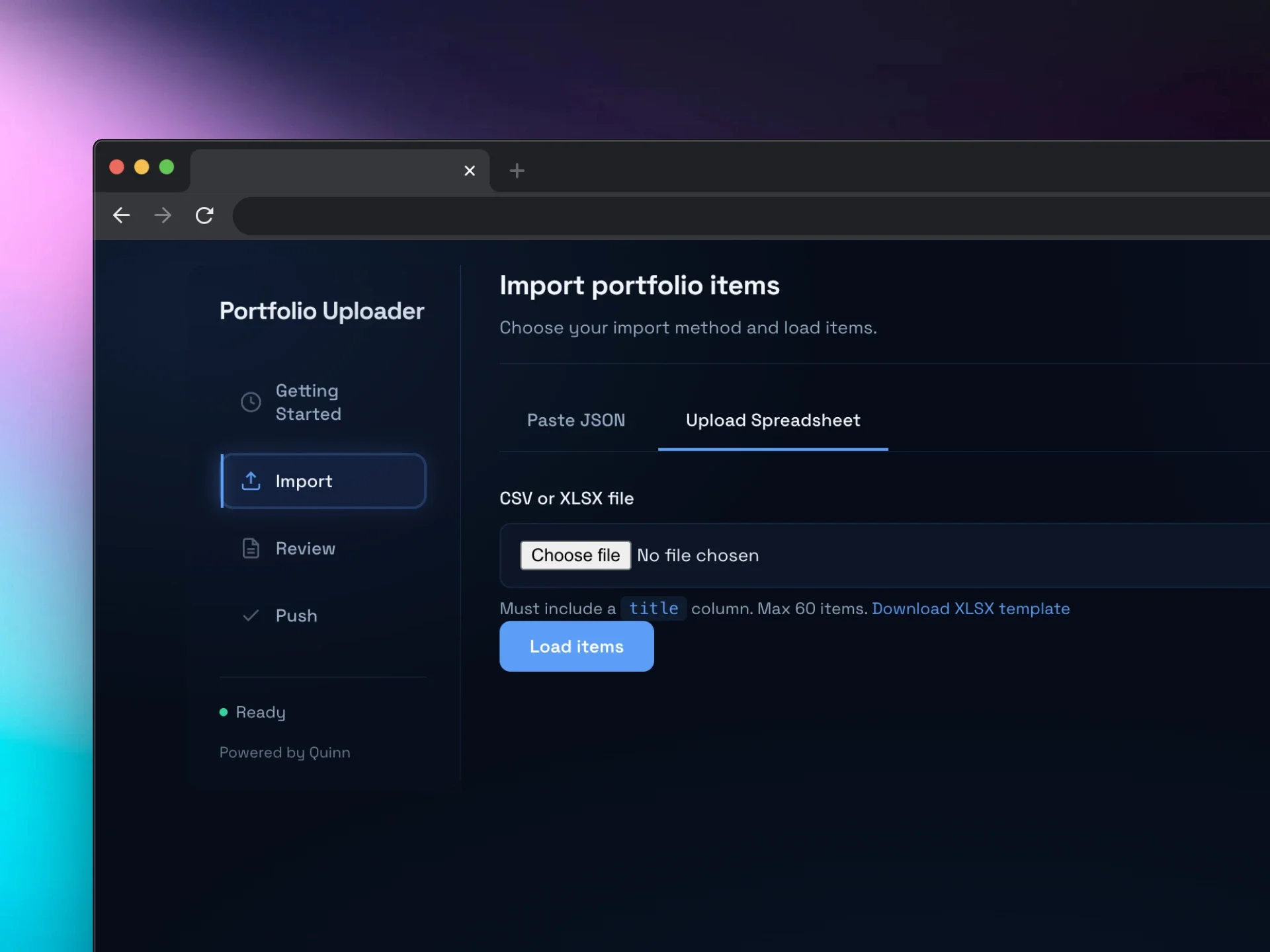 Image 2 of 2
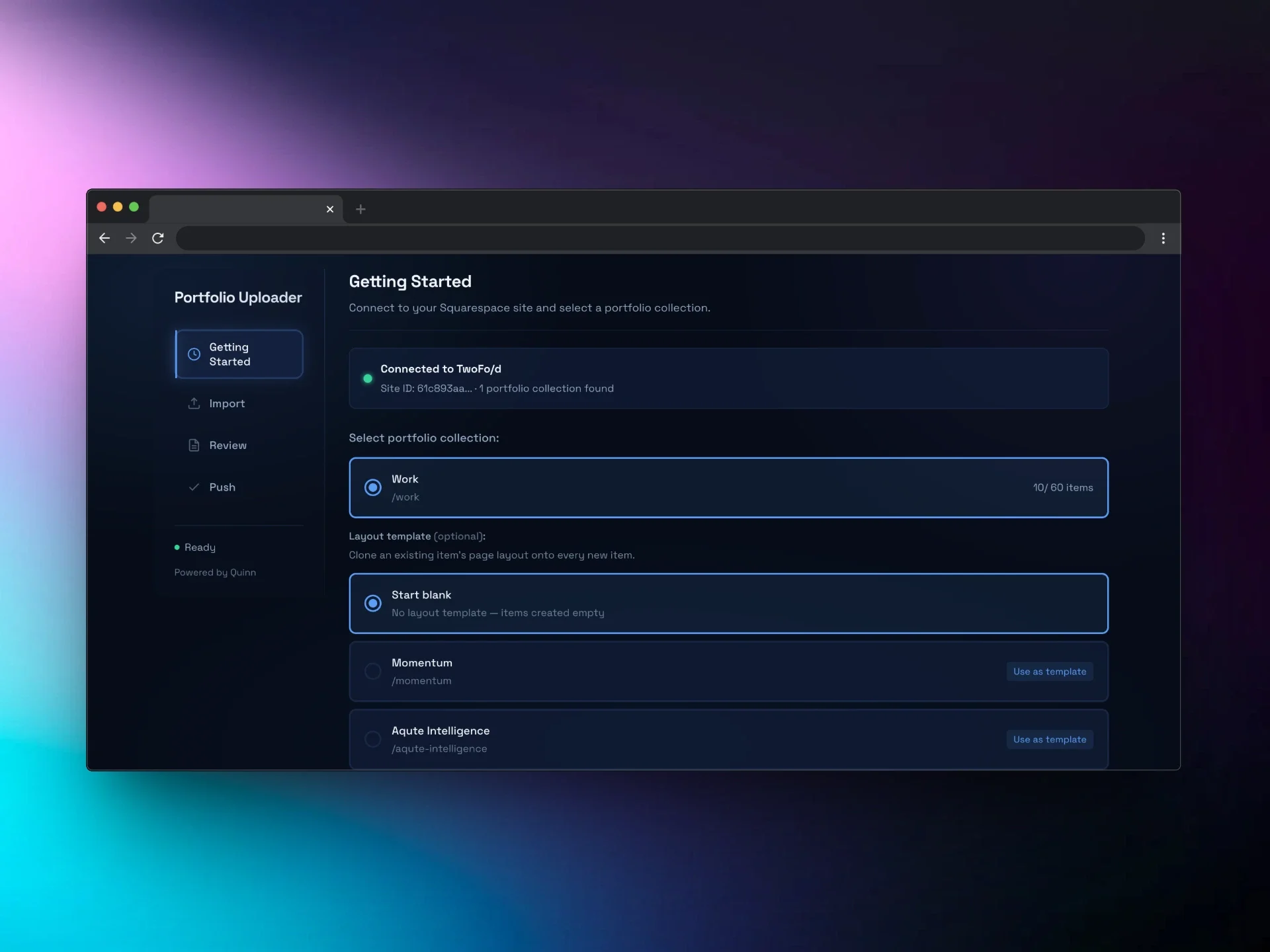
Import up to 60 portfolio items in seconds. Upload a CSV or spreadsheet, map your fields, and push everything to your Squarespace portfolio collection in one go.
One-time purchase · No subscription · Unlimited Squarespace sites
If you’ve ever had to manually create 20, 30, or 50+ portfolio items in Squarespace, you know the drill. Click. Type. Save. Repeat. It’s tedious, error-prone, and eats into the time you should be spending on design.
Squarespace doesn’t offer a native bulk upload for portfolio collections. So you’re stuck doing it the slow way - unless you have the right tool.
The Bulk Portfolio Uploader tool (runs inside your Squarespace admin)
Simple one-line code snippet installation
CSV, Excel, and JSON import support
Downloadable Excel template with headers and example data
Smart field mapping, validation, and error checking
Layout template cloning
Works with any Squarespace 7.1 site on any plan
Squarespace 7.1 only
This tool is built specifically for Squarespace 7.1 portfolio collections. It won’t work on Squarespace 7.0 or other platforms.
60-item limit per collection
This is a Squarespace platform limit, not a tool limit. The uploader shows you exactly how many slots are available.
Metadata only
The tool imports titles, descriptions, slugs, dates, and statuses. Images and page content need to be added in the Squarespace editor after import.
Runs in your browser
The tool runs inside your Squarespace admin session. Nothing is sent to any external server.
Import up to 60 portfolio items in seconds. Upload a CSV or spreadsheet, map your fields, and push everything to your Squarespace portfolio collection in one go.
One-time purchase · No subscription · Unlimited Squarespace sites
If you’ve ever had to manually create 20, 30, or 50+ portfolio items in Squarespace, you know the drill. Click. Type. Save. Repeat. It’s tedious, error-prone, and eats into the time you should be spending on design.
Squarespace doesn’t offer a native bulk upload for portfolio collections. So you’re stuck doing it the slow way - unless you have the right tool.
The Bulk Portfolio Uploader tool (runs inside your Squarespace admin)
Simple one-line code snippet installation
CSV, Excel, and JSON import support
Downloadable Excel template with headers and example data
Smart field mapping, validation, and error checking
Layout template cloning
Works with any Squarespace 7.1 site on any plan
Squarespace 7.1 only
This tool is built specifically for Squarespace 7.1 portfolio collections. It won’t work on Squarespace 7.0 or other platforms.
60-item limit per collection
This is a Squarespace platform limit, not a tool limit. The uploader shows you exactly how many slots are available.
Metadata only
The tool imports titles, descriptions, slugs, dates, and statuses. Images and page content need to be added in the Squarespace editor after import.
Runs in your browser
The tool runs inside your Squarespace admin session. Nothing is sent to any external server.